MMFX examples
Every example below includes real source, a reproducible command, and output from the scalar CPU reference renderer. The code fences use CSS highlighting because MMFX Scene is deliberately a strict CSS-shaped language.
Reusable parameterized title
parameterized-title.mmfx
is one source that can create many timeline instances without editing its structure.
@param --title {
    type: text;
    default: "MMRecode";
}

@param --subtitle {
    type: text;
    default: "Edit intent, not transcoded accidents.";
}

@param --accent {
    type: color;
    default: #42d6c7;
}

@param --card-width {
    type: length;
    default: 720px;
}

@param --alignment {
    type: choice;
    default: start;
    choices: "start, center, end";
}

@scene parameterized-title {
    width: 960px;
    height: 540px;
    background: #090d14;

    @font Inter { src: "builtin:inter"; }

    @group card {
        position: absolute;
        display: column;
        left: 70px;
        bottom: 64px;
        width: var(--card-width);
        height: auto;
        min-width: 360px;
        max-width: 820px;
        padding: 34px;
        gap: 12px;
        background: #152131f2;
        border-radius: 24px;

        @rect accent {
            width: 150px;
            height: 5px;
            background: var(--accent);
            border-radius: 3px;
        }

        @text title {
            width: 100%;
            height: auto;
            content: var(--title);
            font-family: Inter;
            font-size: 46px;
            font-weight: 700;
            line-height: 1.1;
            color: #f5f8fb;
            text-align: var(--alignment);
            white-space: nowrap;
        }

        @text subtitle {
            width: 100%;
            height: auto;
            content: var(--subtitle);
            font-family: Inter;
            font-size: 22px;
            font-weight: 450;
            line-height: 1.3;
            color: #aebed1;
            text-align: var(--alignment);
        }
    }
}
Render the defaults or override several typed inputs from the command line:
cargo run -p mmrecode -- render-mmfx examples/mmfx/parameterized-title.mmfx title-default.png
cargo run -p mmrecode -- render-mmfx examples/mmfx/parameterized-title.mmfx title-bound.png \
  --set "title=Launch Day" \
  --set "subtitle=One source, many timeline instances." \
  --set accent=#ffb454 --set card-width=810px --set alignment=center
| Declared defaults | Bound values |
|---|---|
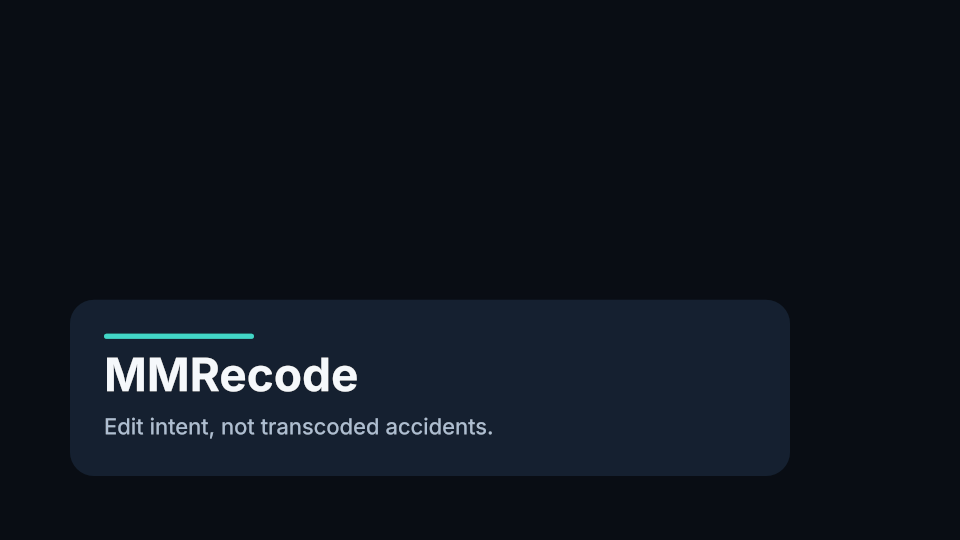 | 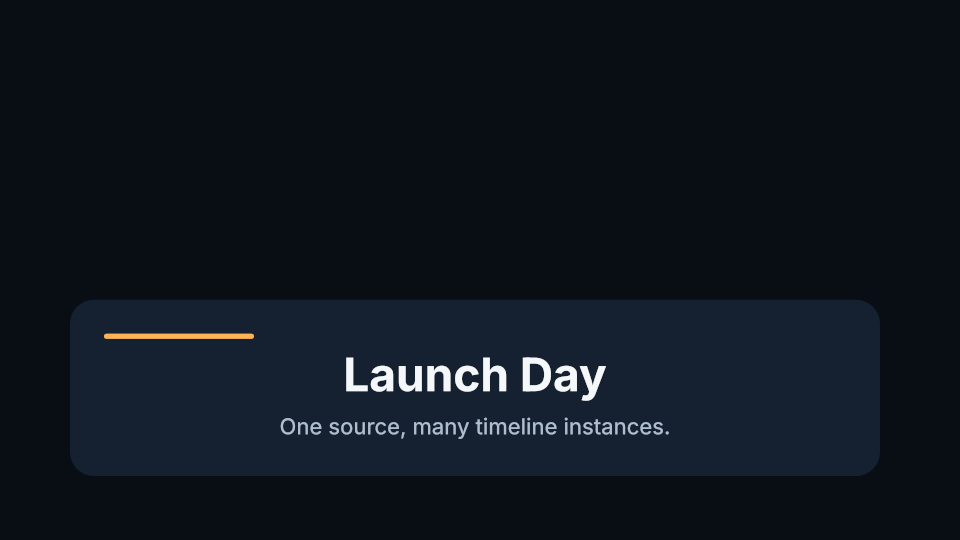 |
The corresponding editor workflow is scene params, scene set title "Launch Day", and
scene reset title. The binding is stored with the project and the source retains its reusable
default.
Eldiron patron credits
eldiron-patrons.mmfx
is a practical rolling-credits scene for Eldiron videos. Its companion
eldiron-patrons-static.mmfx
shows the same roster as a single static card. Both use only deterministic MMFX shapes and the
built-in font, so they remain portable when embedded in a project. The roster below is an
active-patron snapshot from September 6, 2026; update only the three content lists when the
membership changes.
@group credits {
    display: column;
    width: 100%;
    height: auto;
    min-height: 1px;
    padding: 48px;
    gap: 18px;
    align-items: center;
    mm-scroll-direction: block-start;
    mm-scroll-range: cover;
    mm-scroll-duration: 300f;

    @text dragon-label {
        width: 100%;
        height: auto;
        content: "[ DRAGON SLAYERS ]";
        font-family: Inter;
        font-size: 18px;
        font-weight: 700;
        text-align: center;
        color: #d36b55;
    }

    @text dragon-names {
        width: 100%;
        height: auto;
        content: "Scott Hamill\nMike Plaza";
        font-family: Inter;
        font-size: 28px;
        font-weight: 650;
        line-height: 1.45;
        text-align: center;
        color: #ead9ae;
    }

    @text adventurer-names {
        width: 100%;
        height: auto;
        content: "Fnurrpants\nCharleston Marks\nElias\nThomas Osborne";
        font-family: Inter;
        font-size: 28px;
        font-weight: 650;
        line-height: 1.45;
        text-align: center;
        color: #ead9ae;
    }

    @text farmer-names {
        width: 100%;
        height: auto;
        content: "Jonathan Pickett\nTom Carlson\nR Isted";
        font-family: Inter;
        font-size: 28px;
        font-weight: 650;
        line-height: 1.45;
        text-align: center;
        color: #ead9ae;
    }
}
Render a useful middle frame from a ten-second, 30 fps placement:
cargo run -p mmrecode -- render-mmfx examples/mmfx/eldiron-patrons.mmfx \
  docs/static/img/mmfx/eldiron-patrons-130.png --frame 130 --frames 300
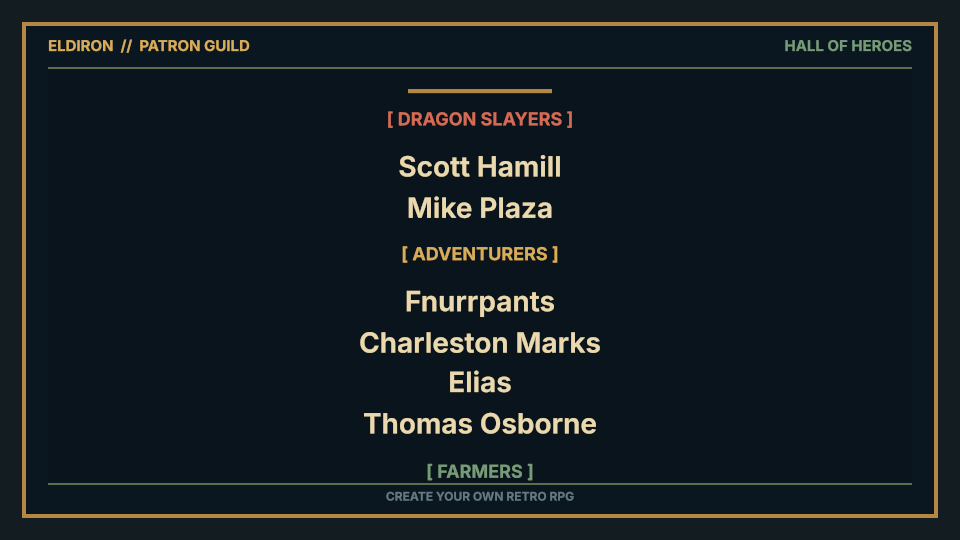
The fixed 300f scroll makes this scene intrinsically ten seconds long in a 30 fps project.
scene load and scene link automatically fit the generated timeline object to that duration.
The static companion deliberately declares no animation duration and therefore keeps the length
chosen with add scene.
The checked-in
projects/eldiron-patrons/build.mmrs
fixture creates a youtube-1080p30 project, loads the scroller, saves the readable project, and
renders the complete timeline with the native youtube-1080p H.264/AAC exporter. After the native
encoder optimization, the 300-frame export completed in 52 seconds on the development Mac (about
0.19x real-time). The resulting MP4 has valid 1920x1080 H.264 High, BT.709, and 48 kHz AAC-LC
tracks. It remains an integration fixture rather than a quality reference: inter-predicted frames
currently show previous-position ghosts around scrolling text, while IDR frames are clean.
cargo run -p mmrecode -- render-mmfx examples/mmfx/eldiron-patrons-static.mmfx \
  docs/static/img/mmfx/eldiron-patrons-static.png

Rolling credits with intrinsic layout
This complete rolling-credits.mmfx
scene does not declare a pixel height for the moving column. Each text object is shaped and
measured, the column adds its gaps and padding, and cover scrolling uses that resolved height.
@scene rolling-credits {
    width: 960px;
    height: 540px;
    background: #090d14;

    @font Inter {
        src: "builtin:inter";
    }

    @text label {
        position: absolute;
        left: 40px;
        top: 32px;
        width: auto;
        height: auto;
        content: "MMRECODE  /  ROLLING CREDITS";
        font-family: Inter;
        font-size: 16px;
        font-weight: 700;
        line-height: 1;
        color: #42d6c7;
        white-space: nowrap;
    }

    @group viewport {
        position: absolute;
        left: 100px;
        top: 90px;
        width: 760px;
        height: 380px;
        overflow: hidden;
        border-radius: 18px;
        background: #111a27;

        @group credits {
            display: column;
            width: 100%;
            height: auto;
            min-height: 1px;
            padding: 42px;
            gap: 24px;
            align-items: center;
            mm-scroll-direction: block-start;
            mm-scroll-range: cover;
            mm-scroll-duration: scene;

            @text title {
                width: auto;
                height: auto;
                max-width: 640px;
                content: "A FILM CUT IN THE TERMINAL";
                font-family: Inter;
                font-size: 34px;
                font-weight: 700;
                line-height: 1.1;
                text-align: center;
                color: #f5f8fb;
                white-space: nowrap;
            }

            @text direction {
                width: 100%;
                height: auto;
                content: "DIRECTED BY\nThe Keyboard";
                font-family: Inter;
                font-size: 23px;
                font-weight: 500;
                line-height: 1.45;
                text-align: center;
                color: #b8c6d8;
            }

            @text picture {
                width: 100%;
                height: auto;
                content: "PICTURE AND SOUND\nExact Frames\n\nSMART RENDERING\nThe Original Bitstream";
                font-family: Inter;
                font-size: 23px;
                font-weight: 500;
                line-height: 1.45;
                text-align: center;
                color: #b8c6d8;
            }

            @rect rule {
                width: 180px;
                height: 3px;
                background: #42d6c7;
                border-radius: 2px;
            }

            @text thanks {
                width: 100%;
                height: auto;
                content: "MADE FOR LINUX\nAND PEOPLE WHO LIKE\nTO STAY IN FLOW";
                font-family: Inter;
                font-size: 24px;
                font-weight: 650;
                line-height: 1.35;
                text-align: center;
                color: #f5f8fb;
            }
        }
    }
}
cargo run -p mmrecode -- render-mmfx examples/mmfx/rolling-credits.mmfx credits-059.png --frame 59 --frames 120
Frame 0 — content starts below the viewport
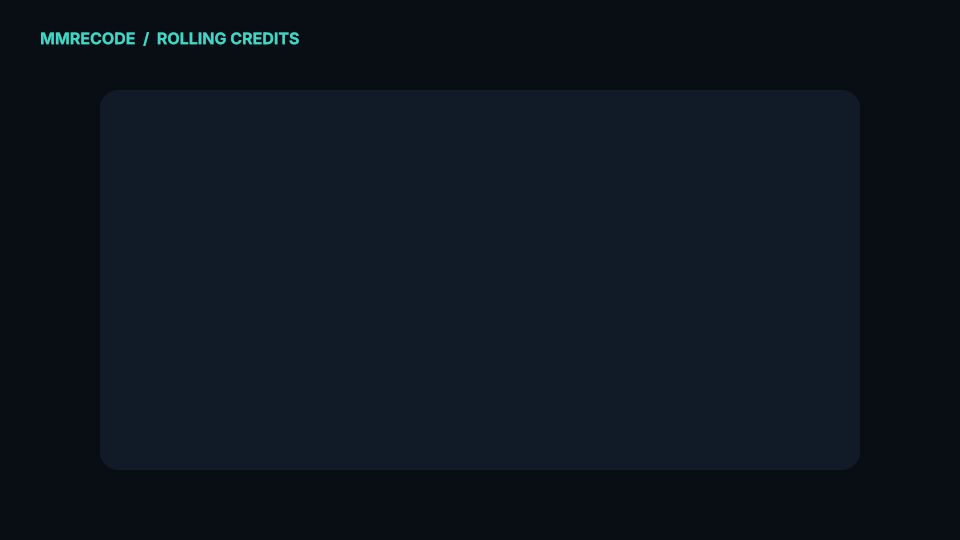
Frame 59 — the measured column crosses the viewport
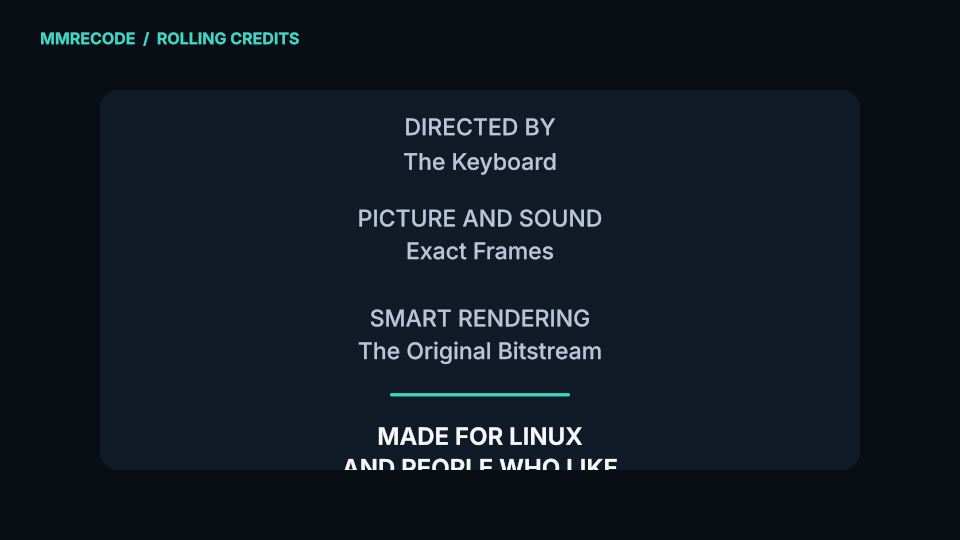
Frame 119 — content has passed beyond the viewport
Animated image-and-text card
The checked-in motion-layout.mmfx
uses an image resource, nested row/column layout, an entrance animation, and a horizontal ticker.
This is its actual card and animation source; the full file also declares its 960×540 scene,
portable Inter font, and ticker window.
@group card {
    position: absolute;
    display: flex;
    flex-direction: row;
    left: 50px;
    top: 82px;
    width: 860px;
    height: 300px;
    padding: 38px;
    gap: 34px;
    align-items: center;
    background: #192737f2;
    border-radius: 28px;
    overflow: hidden;
    animation: enter 24f ease-out;

    @image mark {
        width: 190px;
        height: 190px;
        src: "../../docs/static/img/mmrecode-mark.png";
        object-fit: contain;
    }

    @group copy {
        display: flex;
        flex-direction: column;
        width: 560px;
        height: 190px;
        gap: 12px;
        justify-content: center;

        @text title {
            width: 100%;
            height: 64px;
            content: "Layout that moves.";
            font-family: Inter;
            font-size: 46px;
            font-weight: 700;
            line-height: 1.1;
            color: #f4f7f8;
            white-space: nowrap;
        }
    }
}

@keyframes enter {
    from { opacity: 0; transform: translateY(46px) scale(0.94); }
    70% { opacity: 1; transform: translateY(-4px) scale(1.01); }
    to { opacity: 1; transform: translateY(0) scale(1); }
}
cargo run -p mmrecode -- render-mmfx examples/mmfx/motion-layout.mmfx frame-023.png --frame 23 --frames 60
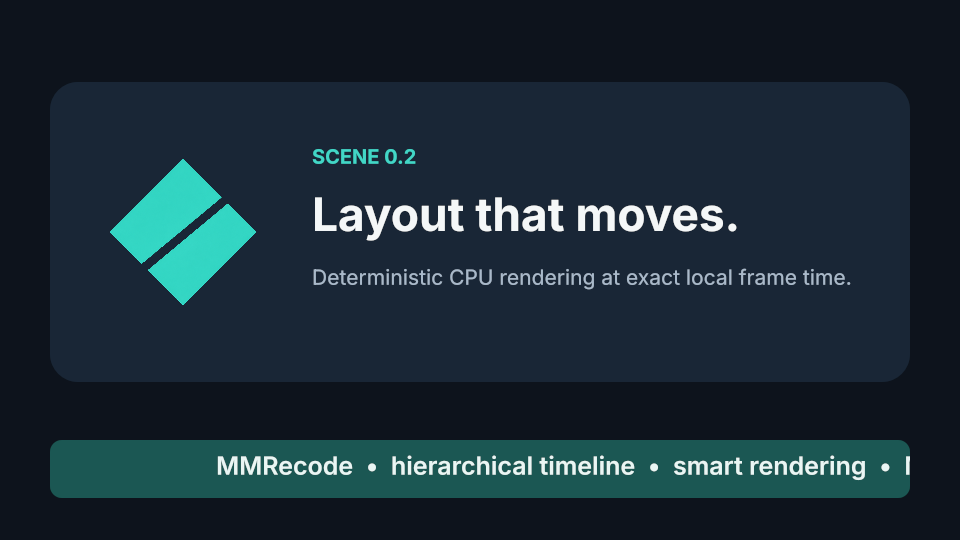
--frame is zero-based. --frames supplies the complete local scene duration required by
scene-duration animation and scrolling.
Editing these scenes
add scene Credits 4:00
cd Credits
scene load examples/mmfx/rolling-credits.mmfx
edit
The loaded source is copied into the project. The terminal editor highlights MMFX at-rules,
properties, strings, colors, units, keywords, and comments while the preview recompiles after a
short pause. scene save as <file> extracts a reusable copy; ordinary project save remains the
authoritative save operation.
To keep editing the module in an external editor instead, link it:
add scene Credits 4:00
cd Credits
scene link examples/mmfx/rolling-credits.mmfx
# Save the file in Helix, Neovim, Emacs, or another editor; MMRecode refreshes automatically.
scene reload
scene unlink
edit
scene link stores a cached last-valid snapshot with the project. Automatic and manual refreshes
validate the complete source and existing parameter bindings before installing it. Invalid or
temporarily missing files keep the prior preview and export snapshot. scene unlink makes that
snapshot ordinary embedded source, after which edit opens it inside MMRecode.
Tab and Shift-Tab move focus between source, timeline, inspector, and command panes. The default
monitor project view composites the draft scene over media at the project playhead;
monitor local isolates the current cd context and its descendants.